Guides
Best Maps for DayZ Servers & Installation Guide
Every DayZ server starts with a map, and the one you pick decides whether your group spends its nights raiding a familiar coastline or getting lost somewhere new. Between the three official releases and the hundreds of custom terrains on the Steam Workshop, DayZ maps range from a small frozen island to a 256 km² landscape built for a full community. In this Nitrado guide, we’ll show you the best DayZ maps available right now, official and custom, and walk you through exactly how to install a custom map on your own DayZ server.
Official DayZ Maps
DayZ ships with three official maps, and each one changes the pace of a server completely. Switching official DayZ maps is easy as we’ve integrated it into our web interface. Learn how to change your official DayZ maps.
Chernarus+

The default map for DayZ, Chernarus+ is the one every player already owns, so it loads without installing anything extra. Set in a mountainous, post-Soviet state facing a zombie outbreak, it mixes farmland, forests, and seven major cities where almost every structure can be searched for supplies.
Features:
- The standard map for DayZ, no mods or downloads needed to play.
- A large map that supports a full DayZ server without feeling empty.
- Seven major cities and dozens of smaller settlements to search for loot.
For a deeper breakdown of every area, see our DayZ Chernarus map guide.
Livonia

Livonia is a fictional, landlocked stretch of the Baltic region with a mix of major towns and open countryside. Years of conflict left many of its buildings abandoned, and quarantine tents scattered across the map show how badly the outbreak was contained before the infected took over.
Features:
- A paid DLC map. Your server and any player joining it need to own the Livonia expansion.
- Dense forests with wolves, bears, and deer add a wildlife threat on top of the infected.
- Abandoned military bases, camps, and airfields are scattered across the map for looting.
For a deeper breakdown of every area, see our DayZ Livonia map guide.
Sakhal
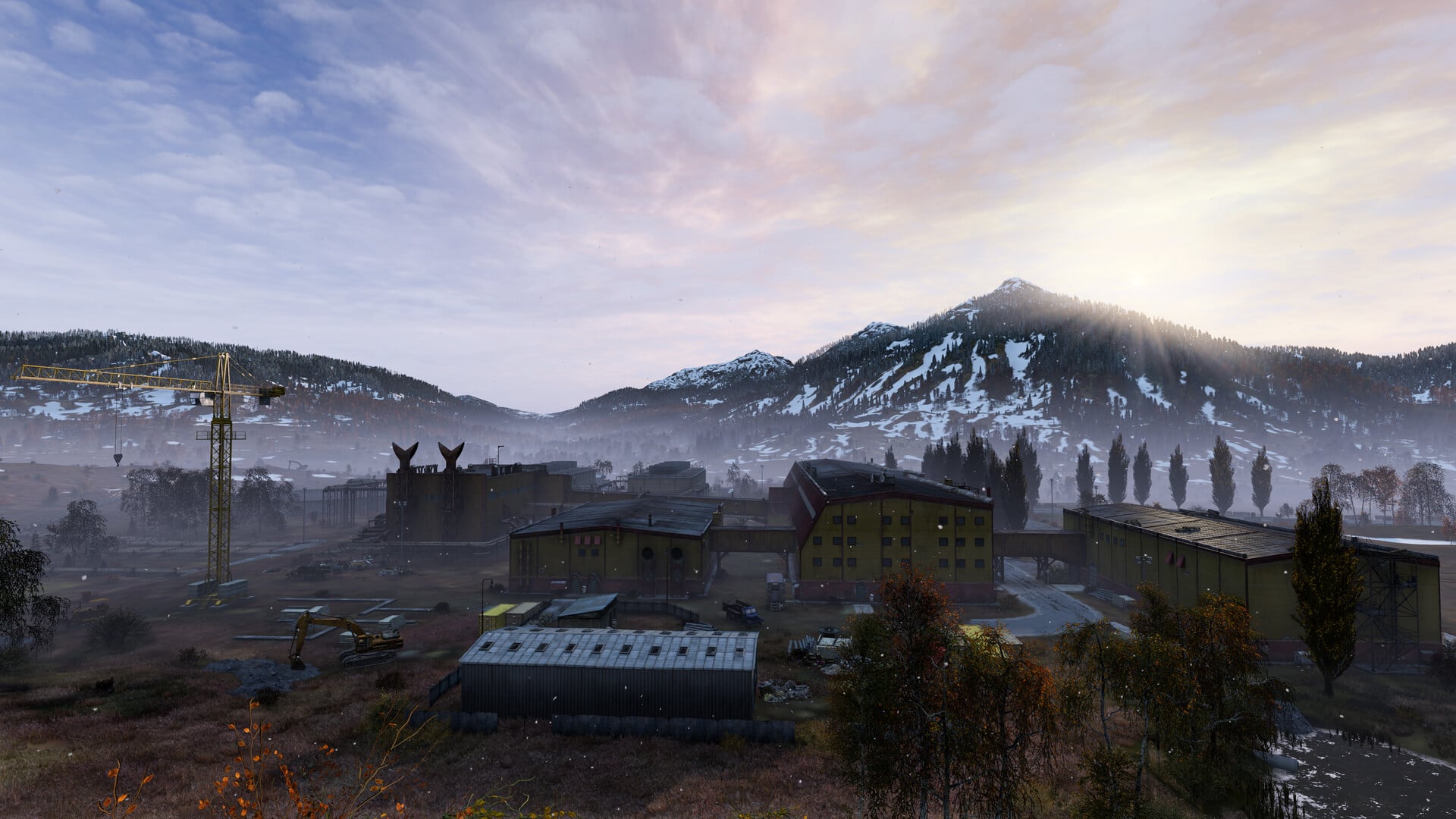
Sakhal is the newest official map, added with the paid Frostline expansion. It’s a frozen volcanic archipelago in DayZ’s far east, built around a live volcano, wind-battered hilltops, and ice fields stretching out from a large naval base. At roughly 105 km², Sakhal is the smallest official DayZ map, but the cold makes up for the size. Temperatures usually sit below freezing, food spawns frozen, and even walking through the wrong patch of snow can poison you.
Features:
- A paid DLC map. Your server and any connecting players need to own the Frostline expansion.
- New wildlife includes reindeer on land and steelhead trout, shrimp, and pollock in the water.
- Frostline adds winter-specific clothing and gear built to handle Sakhal’s cold.
For a deeper breakdown of every area, see our DayZ Sakhal map guide.
Best Custom DayZ Maps for Your Server
Beyond the official maps, the DayZ Steam Workshop holds hundreds of community-built terrains. These are the custom DayZ maps worth installing first.
Banov

Inspired by the Slovak landscape of the Banov District, Banov is a large map with a big city, over 30 villages, water dams, and airports to explore. Outside the cities, its forests, meadows, swamps, and rivers hide their own secrets, and the weather can flip from clear skies to a sudden downpour in minutes.
Features:
- A 256 km² map built to support a large player count.
- Based on real cities, villages, and forests in the Banov District.
- Weather changes quickly, from sunny days to sudden storms.
Find Banov on the Steam Workshop.
Namalsk

Namalsk is a harsh, sparsely populated island built for the most hardcore DayZ players. Military bases scattered across the map hold valuable loot, but they also hide the Bloodsucker, an enemy unique to this map. The island keeps its own secrets too, from a nuclear submarine buried in sea ice to underground installations worth the risk of exploring.
Features:
- A desert-like island with one city and several military spawn points.
- Introduces the Bloodsucker, an enemy exclusive to Namalsk.
- Hourly EVR sequences can knock out players and cost them half their blood unless they’re indoors or wearing an APSI device.
Find Namalsk on the Steam Workshop.
For a deeper breakdown of every area, see our DayZ Namalsk map guide.
Deer Isle

Deer Isle is a community-built map inspired by real locations in the United States, including Paris Island in South Carolina and an airport modeled on Knox County Regional Airport in Maine. It’s a large, heavily forested archipelago with coastal towns, a prison island, and cave systems to explore, on top of more than 1.5 million placed objects.
Features:
- Several locations inspired by real places in the United States.
- A prison island and cave systems add extra areas to search.
- Over 1.5 million objects placed across the map.
Find Deer Isle on the Steam Workshop.
For a deeper breakdown of every area, see our DayZ Deer Isle map guide.
Rostow
Rostow is a large custom map built from real terrain data, satellite imagery, and road networks from a location in eastern Ukraine. With roughly 3.5 million objects placed across the terrain, it’s one of the largest and most detailed community maps currently available for DayZ.
Features:
- Built on real satellite imagery and road networks from eastern Ukraine.
- Roughly 3.5 million objects placed across the terrain.
- One of the largest and most detailed custom maps currently available.
Find Rostow on the Steam Workshop.
Esseker
Esseker is a 169 km² post-apocalyptic map modeled after a real location in Bosnia, built from reference photos and satellite imagery. Rock walls, caves, overgrown streets, and flooded sections of the city give it a more decayed feel than the official maps. Esseker City anchors the map, with the Adela Airfield, the Bondstil military base, and an abandoned zoo on its outskirts among the more notable points of interest.
Features:
- A 169 km² map based on a real location in Bosnia.
- Around 1.48 million objects placed for detail and realism.
- Named locations include Esseker City, Adela Airfield, and the Bondstil military base.
Find Esseker on the Steam Workshop.
Chiemsee
Chiemsee is a compact map set in the German Alps, spanning roughly 10 by 10 kilometers and built around alpine scenery and detailed underground bunker systems. It’s smaller and denser than most of the maps on this list, which makes it a good fit for a smaller server that still wants a custom setting.
Features:
- A compact alpine map set in the German Alps.
- Detailed bunker systems built into the mountainous terrain.
- A winter variant is also available, swapping in snow-covered terrain and vegetation.
Find Chiemsee on the Steam Workshop.
How to Install a Custom DayZ Map on Your Nitrado Server
Once you’ve picked a custom map, installing it follows the same basic process every time. Here’s how to do it, step by step.
- Open Steam and go to the DayZ Workshop to find your chosen map.
- Click Subscribe on the map’s Workshop page, along with any required items it lists.
- Check the map’s Workshop description for a link to its server mission files. Most custom maps host these separately on GitHub or Discord rather than through the Workshop itself.

- Download the mission files as a
.zipfrom that page.
- Extract the
.zipfile to a folder on your PC using a program like 7-Zip.
- Open the extracted folder and locate the map’s mission folder, usually named after the map. Unzip any nested archive inside it, such as an
areaflags.zipfile, if one is present. - Log into your DayZ server’s FTP and go to
/dayzstandalone/mpmissions/. - Upload the mission folder into that FTP location.

- Open DayZ and go to the MODS tab.
- Click the dropdown arrow next to any installed mod, select …, then Open folder to Windows Explorer to reach your Workshop mod files.

- In that folder, locate the map mod along with each of its required items.

- Upload those mod folders directly into the
dayzstandalonefolder on your server’s FTP. - Open the
Keysfolder inside each mod folder on your PC, then upload every key file into thekeysfolder on your server’s FTP.
- Open your Nitrado web interface, stop the server, then head to Settings > General.
- Check the Expert Mode box to enable it.
- Under Additional Mods, list each mod’s folder name (these start with
@) separated by a semicolon, then click Save Changes.
- Click Expert Settings, open
serverDZ.cfg, and find theclass Missionssection. - Set the
template=value to your mission folder’s exact name, matching its capitalization. This follows aMissionName.TerrainNameformat, such asempty.deerisle.
- Click Save Changes, then start your server and join it, or join through the Community tab to install matching mods automatically.

Note: Your server only runs one map at a time. You can keep several custom maps’ files uploaded at once, but changing the template= value is what switches which one actually loads. For more on modding your server in general, see our guide on Installing Mods on Your DayZ Server.
Claim Your Territory!
You’ve now got a full list of the official and custom DayZ maps worth trying, plus the steps to get any of them running on your server. Pick the one that matches how your group plays, install it, and get everyone back on the coast, wherever that coast happens to be this time.
Frequently Asked Questions (FAQ)
How many maps does DayZ have?
DayZ ships with three official maps: Chernarus+, Livonia, and Sakhal. On top of those, the Steam Workshop hosts hundreds of community-built maps, with new ones added regularly.
What is the default DayZ map?
Chernarus+ is the default map every DayZ player owns. It loads on a fresh server and needs no extra mods or DLC.
Can I install more than one custom map on my server?
You can keep as many custom maps downloaded as you like, but your server only runs one at a time. Changing the template= setting in serverDZ.cfg switches which map loads.
Do custom DayZ maps cost anything?
Community maps on the Steam Workshop are free to download and install. Nitrado’s official DLC maps, Livonia and Sakhal, are paid expansions that both the server and connecting players need to own.
Official DayZ Maps
- Chernarus+
- Livonia
- Sakhal
Best Custom DayZ Maps for Your Server
- Banov
- Namalsk
- Deer Isle
- Rostow
- Esseker
- Chiemsee
How to Install a Custom DayZ Map on Your Nitrado Server
Claim Your Territory!
Frequently Asked Questions (FAQ)
- How many maps does DayZ have?
- What is the default DayZ map?
- Can I install more than one custom map on my server?
- Do custom DayZ maps cost anything?


