Guides

Palworld Difficulty Settings – Server Guide
Your Palworld server can feel too easy or too brutal within a few sessions, and there’s no single dial that fixes it. Instead, three sections in your Nitrado Web Interface – Gameplay, Pal, and Player, bundle together around twenty rate multipliers between them, and stacking changes to a chosen handful is what actually reshapes how forgiving or punishing your world feels. In this Nitrado guide, we’ll show you how to tune the settings that do the most to swing that balance, from how fast day and night pass and how quickly players level up to what a character forfeits on death, how big a guild can grow, and the capture, combat, hunger, and recovery rates that govern both Pals and the players who catch them.
Gameplay Settings
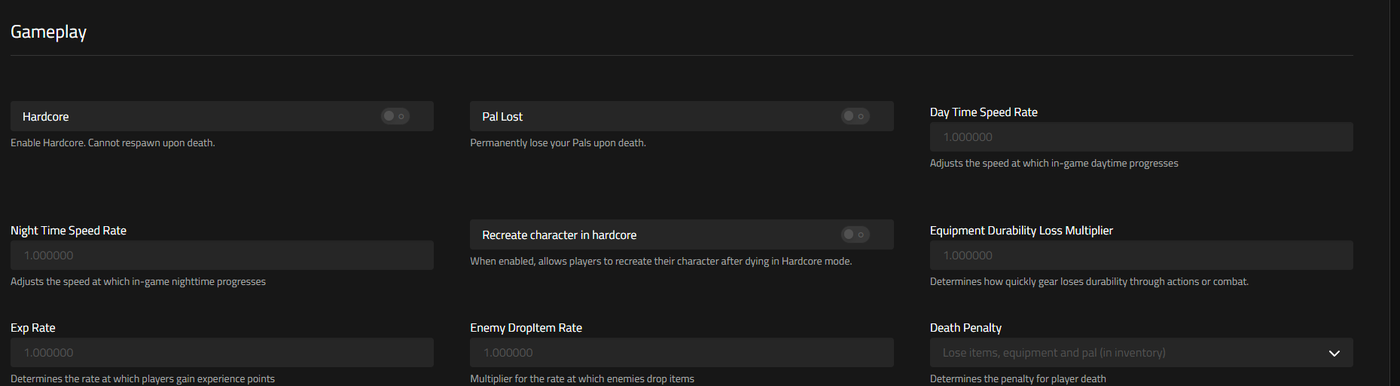
Every setting in this section sits on the Gameplay section, reached in the Web Interface via Settings > General.
Day Time Speed Rate
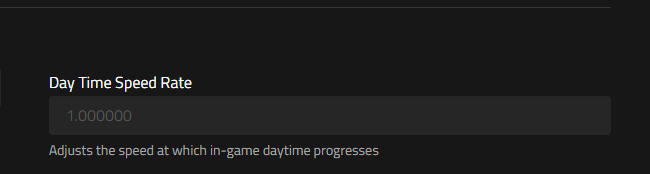
Day Time Speed Rate governs the pace of the in-game day-night clock during daylight hours. A fresh server ships with this multiplier set to 1, the neutral, unmodified speed. Because Palworld tracks day and night as separate rates, you can push this value up or down without touching how long nighttime lasts. That lets you stretch out daylight for building and farming while leaving night untouched, or do the reverse.
Night Time Speed Rate
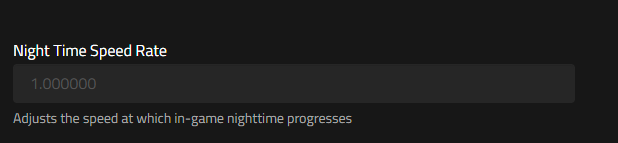
Night Time Speed Rate is the counterpart that controls only the nighttime portion of the cycle, and it also starts at a default multiplier of 1. Push this number higher than the default and in-game nights pass faster, trimming the hours your players spend contending with whatever comes out after dark. Daytime length is left completely alone. It’s a straightforward lever for admins who want to soften the nighttime experience without rebalancing anything else on the server.
EXP Rate
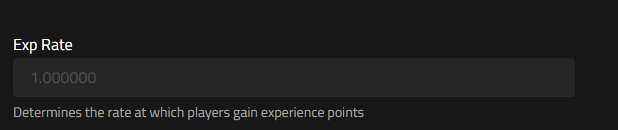
EXP Rate scales how much experience a player banks from the game’s two main progression loops: winning fights and adding new Pals to the roster. Nitrado servers start this multiplier at the default of 1, matching standard leveling speed. Nudge it upward and your community climbs the level curve faster than a vanilla setup. Drop it below 1 and progression slows down, stretching out the grind for players who want a longer climb toward late-game gear and Pals.
Death Penalty
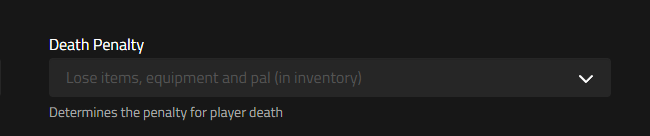
Death Penalty determines exactly what a character forfeits the moment they die. Out of the box, a new Nitrado Palworld server has this set to the toughest available option, labeled on screen as “Lose items, equipment and pal (in inventory).” The options run from lenient to severe. At one end, None means death carries no cost: everything a player had stays with them. Sitting in the middle, Item clears out whatever a player is carrying in their bags, while leaving anything equipped (weapons, armor, tools) untouched on their character. One step further, ItemAndEquipment takes both the bags and anything equipped, though the player’s Pals stay with them. At the far end, All clears the slate entirely: bags, gear, and the Pals accompanying them at the time all disappear.
Guild Player Max Num
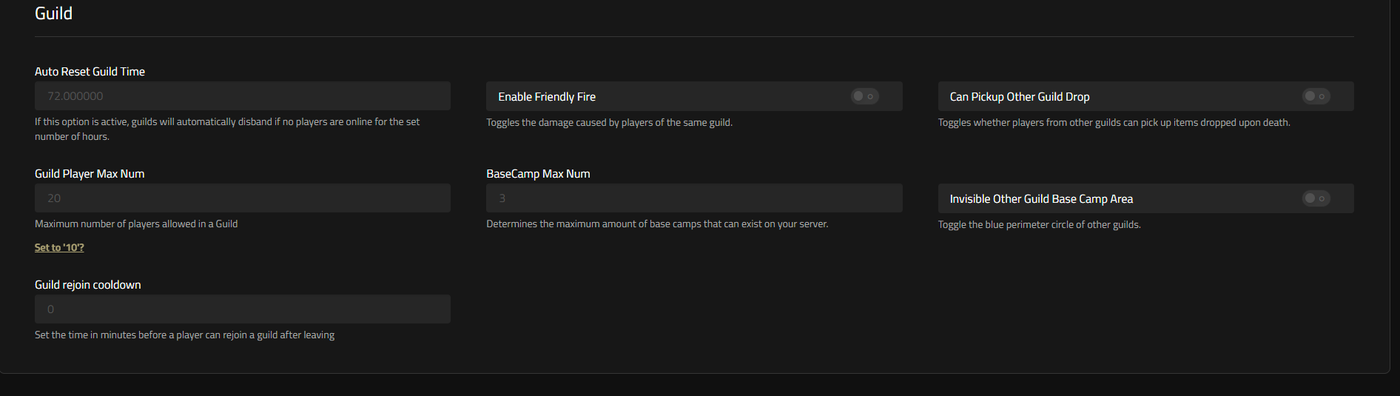
Guild Player Max Num moves this section from individual survival odds to group play. It caps how many players can belong to a single guild at once, and Nitrado servers start it at 20. Raising the ceiling lets one large community band together under a single guild banner, sharing bases and standing in the same friendly-fire and PvP rules together. Lowering it forces players into smaller, more competitive factions instead of one server-wide alliance. It’s found on the Guild section rather than Gameplay itself. It still belongs in the difficulty conversation, because guild size shapes how much manpower a group can throw at base defense, resource gathering, and boss fights.
Auto Reset Guild Time, if active, a setting will automatically disband a guild if no players are online for the set number of hours.
The other settings in this section allow you to set specific rules around your guild to fully customize the experience for you and your friends.
Pal Settings
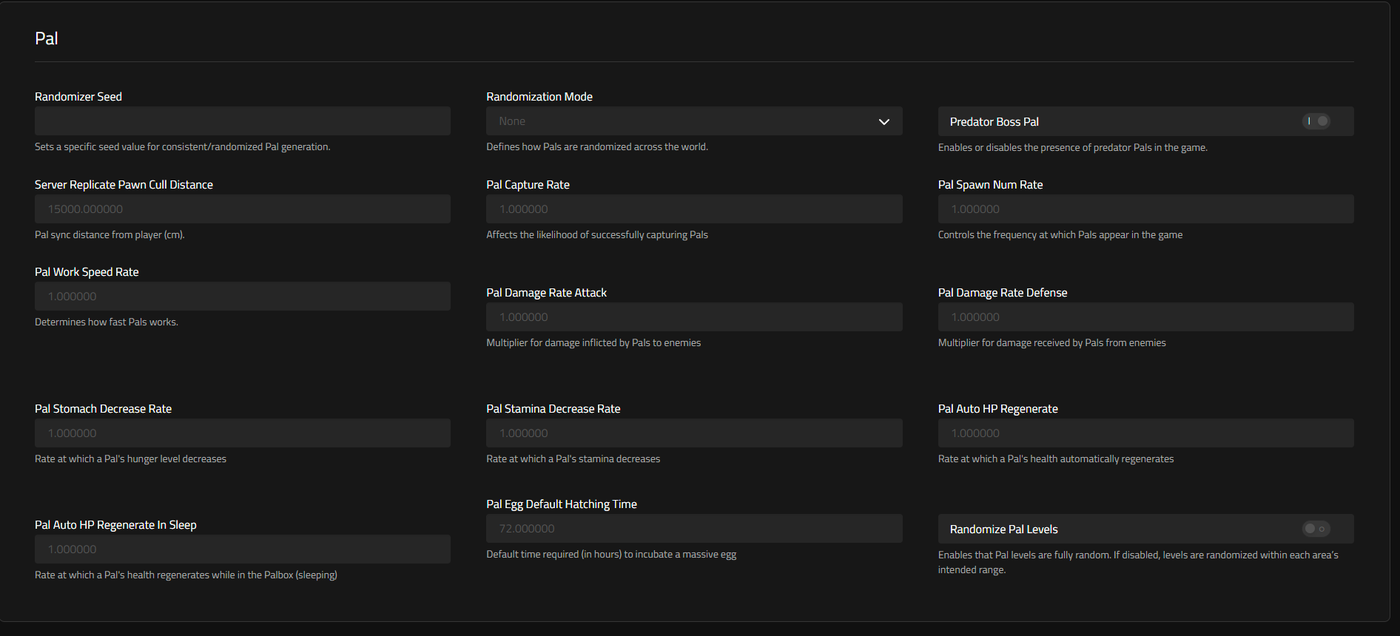
The Pal section, also under Settings > General, holds the multipliers that decide how easy Pals are to catch and how hard they hit. It also covers how quickly they wear down or bounce back. Nine of them are the ones that matter most for tuning overall difficulty.
Pal Capture Rate ships at a default multiplier of 1 and scales the odds that a throw actually lands a catch. Set it above default and Pals give in more readily, which suits admins who’d rather their players build a roster quickly than grind through failed throws. Set it below default, and every capture becomes a harder-won prize.
The neutral starting point of 1 applies to Pal Spawn Num Rate too, and this one governs how thick the Pal population is across the map. Turning this multiplier up floods the world with more creatures to fight and catch, though it asks more of the server’s performance in the process. Admins running a lower-tier plan may want to raise it cautiously.
Pal Egg Default Hatching Time isn’t a rate multiplier like the others. It’s measured in hours rather than as a ratio, and a new server sets it to 72.000000 hours. This is the incubation time applied to eggs with the longest hatch window, so shortening the figure gets rare Pals into players’ hands sooner. Lengthening it makes patience part of the challenge.
Pal Damage Rate Attack and Pal Damage Rate Defense both start at the neutral value of 1. The Attack figure scales how hard a Pal hits when it fights on a player’s behalf. The Defense figure scales how much damage that same Pal absorbs from enemies. Raising Attack turns Pals into a bigger combat asset, while raising Defense makes them harder to lose in a fight. Admins looking to make combat riskier for their community typically pull both figures down together rather than adjusting just one.
Pal Stomach Decrease Rate and Pal Stamina Decrease Rate share the same 1 starting point, and both describe upkeep rather than combat. The first sets how fast a Pal’s hunger meter empties, and the second sets how fast its stamina drains during work and battle. Push either multiplier higher and Pals need feeding or resting more often, adding a logistics burden on top of combat difficulty. Pull them down, and Pals become closer to self-sufficient.
Pal Auto HP Regenerate and Pal Auto HP Regenerate In Sleep round out the recovery-focused settings, each defaulting to 1. The first governs how quickly a Pal’s health ticks back up during ordinary play, while the second applies specifically to the hours a Pal spends resting inside the Palbox. A server aiming for slower, more attritional fights often dials both regeneration rates down so injuries linger longer between battles.
Player Settings
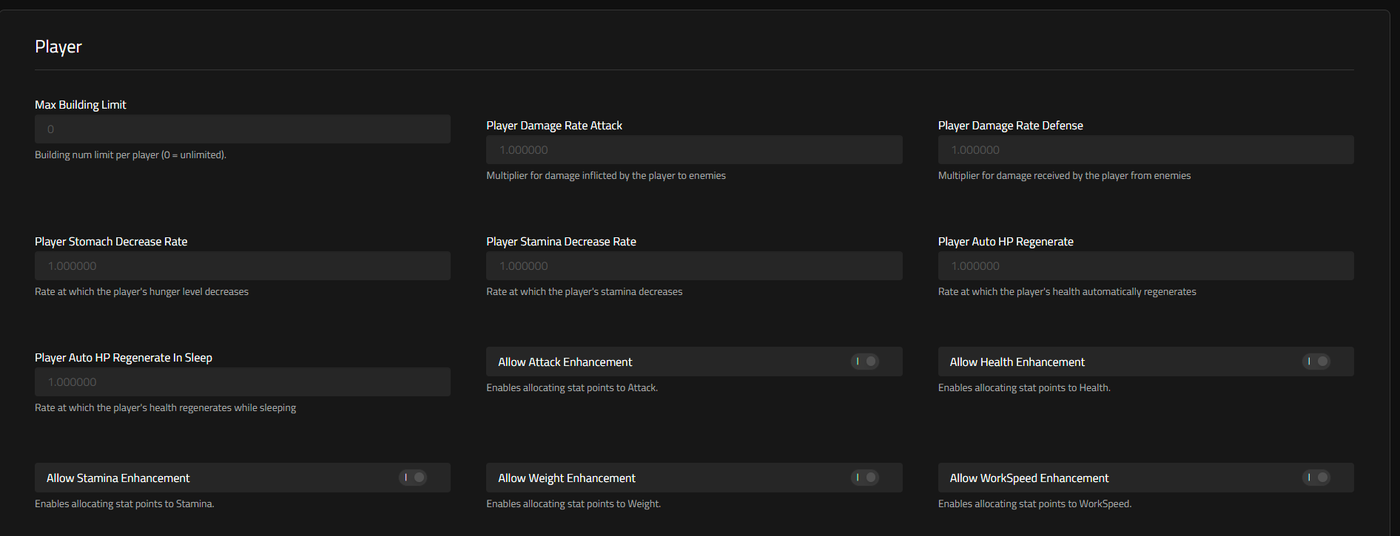
The Player section sits alongside Pal under Settings > General. Its six difficulty-relevant fields mirror the same categories (combat, upkeep, and recovery), but applied to the humans on the server instead of their Pals.
On the offensive side, Player Damage Rate Attack sits at a neutral 1 by default and multiplies how hard a player’s own attacks land. Turn it up, and your community starts hitting noticeably harder across the board. Player Damage Rate Defense mirrors it from the receiving end, starting at the same 1, and scales how much damage a player takes from enemy attacks. Lowering it is one of the more direct ways to make combat forgiving for a less experienced group.
Player Stomach Decrease Rate and Player Stamina Decrease Rate both begin at the neutral multiplier of 1. Between them they set how quickly a player gets hungry and how quickly they run out of energy while sprinting, swinging tools, or fighting. Raising either number turns survival logistics into more of a constant pressure, forcing more frequent stops to eat or rest. Dropping them below default lets players roam and fight for longer stretches without managing those meters.
Health recovery gets split into two multipliers, each starting at 1. Player Auto HP Regenerate handles the everyday tick-up in health while a player is awake and active. Player Auto HP Regenerate In Sleep takes over specifically for the hours spent resting. Because the two run independently, a server can make players genuinely fragile mid-fight while still guaranteeing a full recovery by morning. Or it can dial both down together for a harsher, slower-healing world.
Tune Your World
You’ve now got the full picture of what’s shaping your Palworld server’s difficulty: the twenty-odd multipliers across the Gameplay, Pal, and Player sections that layer into either a genuine survival grind or a far more relaxed world. A slower night, a stingier EXP Rate, an unforgiving Death Penalty, tougher Pal and player combat rates, and faster hunger and stamina drain all stack in the same direction, and turning those values the other way builds the opposite experience. Take the server offline before changing any of these, save your new settings while it’s stopped, and bring it back online once you’re done. From there, keep adjusting the combination across those three sections until the pace matches what your community is actually looking for.
Gameplay Settings
- Day Time Speed Rate
- Night Time Speed Rate
- EXP Rate
- Death Penalty
- Guild Player Max Num
Pal Settings
Player Settings
Tune Your World


