Guias
Farmer’s Delight Mod Showcase
Whether you want more crops to farm or to upgrade your kitchen, the Farmer’s Delight mod for Minecraft is a must have! Make your base feel more like home with stoves, cooking pots, decorations, and delicious goodies. Available for Forge and NeoForge, across various game versions, you have the opportunity to enhance your Minecraft server. In this Nitrado guide, we’ll show you how to install Farmer’s Delight and showcase its features.
How to Install Farmer’s Delight
You can download Farmer’s Delight from two platforms: CurseForge & Modrinth.
Save the file somewhere easily accessible on your computer for later use.
Client
The following steps show how to install the mod using the default Minecraft launcher. You can instead use the CurseForge or Modrinth apps, if you want.
- Open your Minecraft launcher, then click
Installationsat the top. - Find your modded profile and click the
Foldericon.

- Locate the
modsdirectory and move all downloaded files into this area.
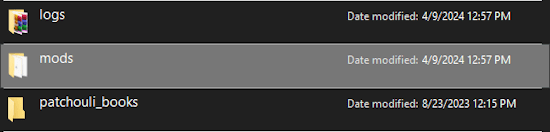
- If you don’t have this folder, create it before adding the files inside.
- Return to the launcher, then click
Playon your modded profile to load it up.
Server
Make sure to install Forge / NeoForge on your Minecraft server before installing the mod. You can do that by following this guide. After that, you can follow these instructions:
- Head towards your Nitrado Web Interface and stop the server.
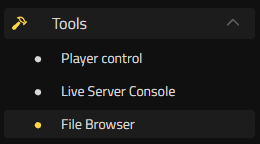
- Navigate to
Tools > File Browseron the left from your Dashboard.
- Enter the
minecraftotherpacks/modsdirectory in the file list. - Click
Upload Fileon the right, then select the Farmer’s Delight file.
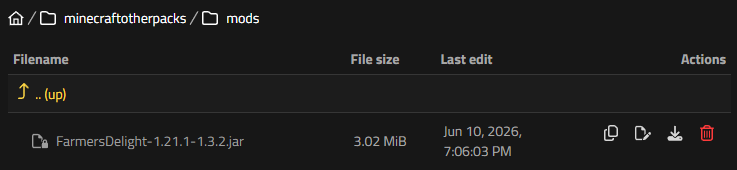
- Wait for this to finish uploading, then restart the server to load it.
Farmer’s Delight Showcase
There are tons of new items, crops, food items, and more in the Farmer’s Delight mod for Minecraft! Whether you’re playing with Forge or NeoForge in different game versions, you’ll have plenty of features to play with friends. You can naturally find unique crops and craft cooking pots to begin preparing new foods. We’ll showcase the major features of this mod to get you started 👏
New Crops in The Overworld
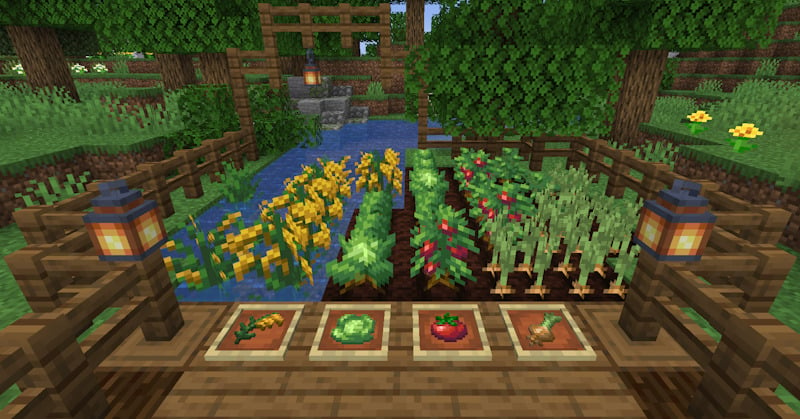
Your journey into advanced cooking starts out in the wild. The mod adds four main crops to the game: tomatoes, cabbage, onions, and rice. Wild variants of these plants generate naturally across various overworld biomes. Breaking a wild crop drops the crop itself along with seeds to help you start your own domestic plots.
If exploration is not your style, you can find these new ingredients inside village garden patches or tucked away in shipwreck loot chests. Rice requires specific planting conditions compared to vanilla wheat; you must place rice slips on dirt blocks submerged under a single block of water, making riverbanks and shallow ponds ideal locations for your paddy fields.
Rich Soil for Faster Yields
Standard farmland works well enough for basic survival, but maximizing your harvest requires upgrading the earth itself. Organic Compost is the initial block you need to build, which you can craft using standard dirt mixed with organic waste materials like rotten flesh, bone meal, and straw. This block does not grow crops immediately; it must decompose first.
Placing Organic Compost out in the open near a water source initiates a slow conversion process. After roughly ten minutes, the texture shifts and turns into Rich Soil. Planting your tomatoes, cabbage, and onions on Rich Soil drastically speeds up their growth cycles.
Prepping Ingredients
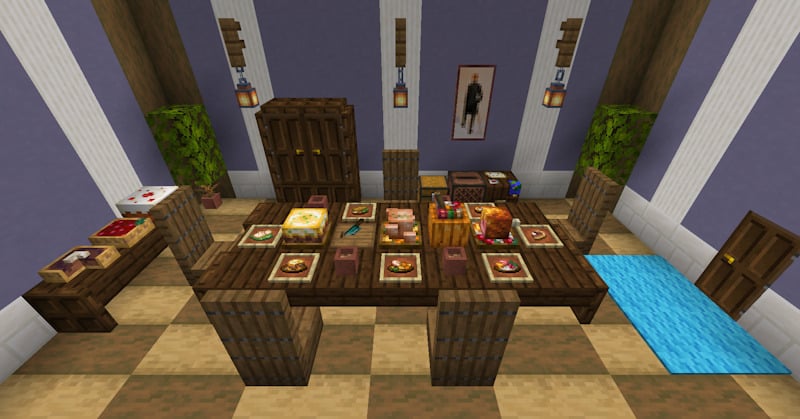
You cannot just throw whole vegetables into a furnace and expect a gourmet meal. Processing ingredients requires a Cutting Board and a Knife, two fundamental tools introduced by the mod. Crafting a Knife from iron, flint, or diamond allows you to scavenge resources efficiently and slice up complex food items.
Placing raw salmon, beef, or poultry onto the Cutting Board and right-clicking with your Knife splits the items into smaller portions like mutton chops or chicken slices. This tool also processes non-food items. Striking tall grass with a Knife guarantees Straw drops, which you need for composting or weaving into utility blocks.
Cooking Pot and Stove
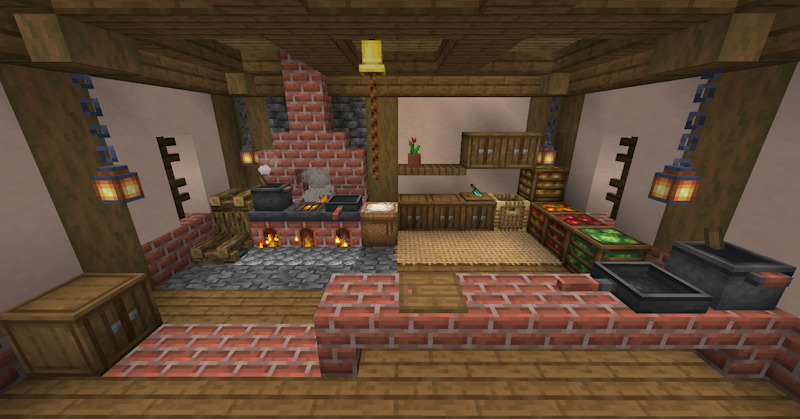
The centerpiece of your new kitchen is the Cooking Pot, an interactive station that handles up to six ingredients at once. To operate the pot, you must place it directly over a heat source. A vanilla campfire or a magma block works, but crafting a dedicated Stove block provides a clean, rustic look for your indoor kitchen.
Right-clicking the Cooking Pot opens a dedicated interface where you arrange your ingredients. Mixing your sliced meats, onions, and carrots yields complex stews, salads, and feasts that provide significantly higher saturation than vanilla options.
Stock Your Minecraft Pantry
Building a functional kitchen completely changes how you approach a survival world. By mastering crop cultivation and upgrading your soil quality, you turn a simple base into a thriving, self-sustaining homestead. Gather your ingredients, stoke the fires of your stove, and prepare a feast that keeps your adventuring party fully saturated for days!

